

Use Claude or ChatGPT as your cycling coach
Ta članek je na voljo samo v angleščini.
Connect Claude or ChatGPT to hupser and plan your indoor cycling in plain words: it builds workouts and puts them on your calendar, ready to ride on any device.
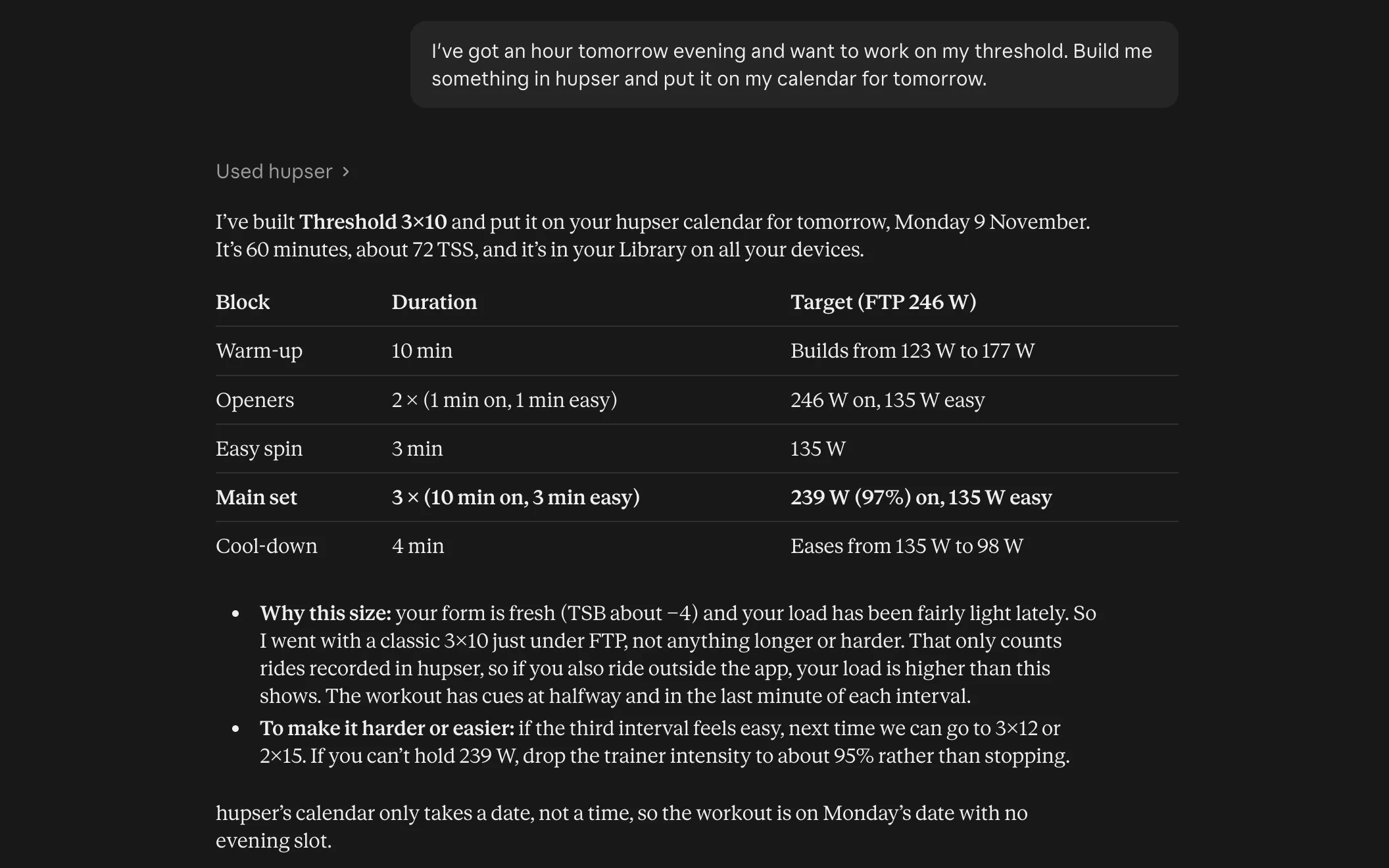
To use Claude or ChatGPT as your cycling coach, connect it to your hupser account: then you can ask it, in plain words, to build workouts, plan your week and look at your rides, and what it plans lands in hupser, ready to ride on your iPhone, iPad, Mac or Windows PC. Think of it as a coach who has seen all your hupser rides and doesn't mind 11 pm messages.
What you can ask it
Once Claude or ChatGPT is connected to hupser, you just talk to it. Some things riders ask:
- "I've got an hour tomorrow evening and want to work on my threshold. Build me something and put it on my calendar." That's the one in the picture: Claude checked the FTP and recent load, built a 3×10 at 97% of FTP and put it on Monday.
- "Plan my week: three rides, nothing longer than 75 minutes, Sunday off."
- "How has my training load changed over the last month?"
- "Summarise my last ride."
- "My FTP is now 260 W. Update it."
- "Find me a 45-minute sweet spot workout in the hupser library."
Workouts it builds are saved like ones you make yourself, in % of your FTP, so they're in your Library and on your calendar on every device you sign in on. Open hupser and press Start.
Connect Claude
hupser is in Claude's connector directory, so connecting takes a minute:
- On claude.ai or in Claude Desktop, open Customize → Connectors.
- Find hupser, or choose Add → Add custom connector and enter https://api.hupser.app/mcp.
- Select Connect, sign in to hupser, choose what to allow, and select Allow.
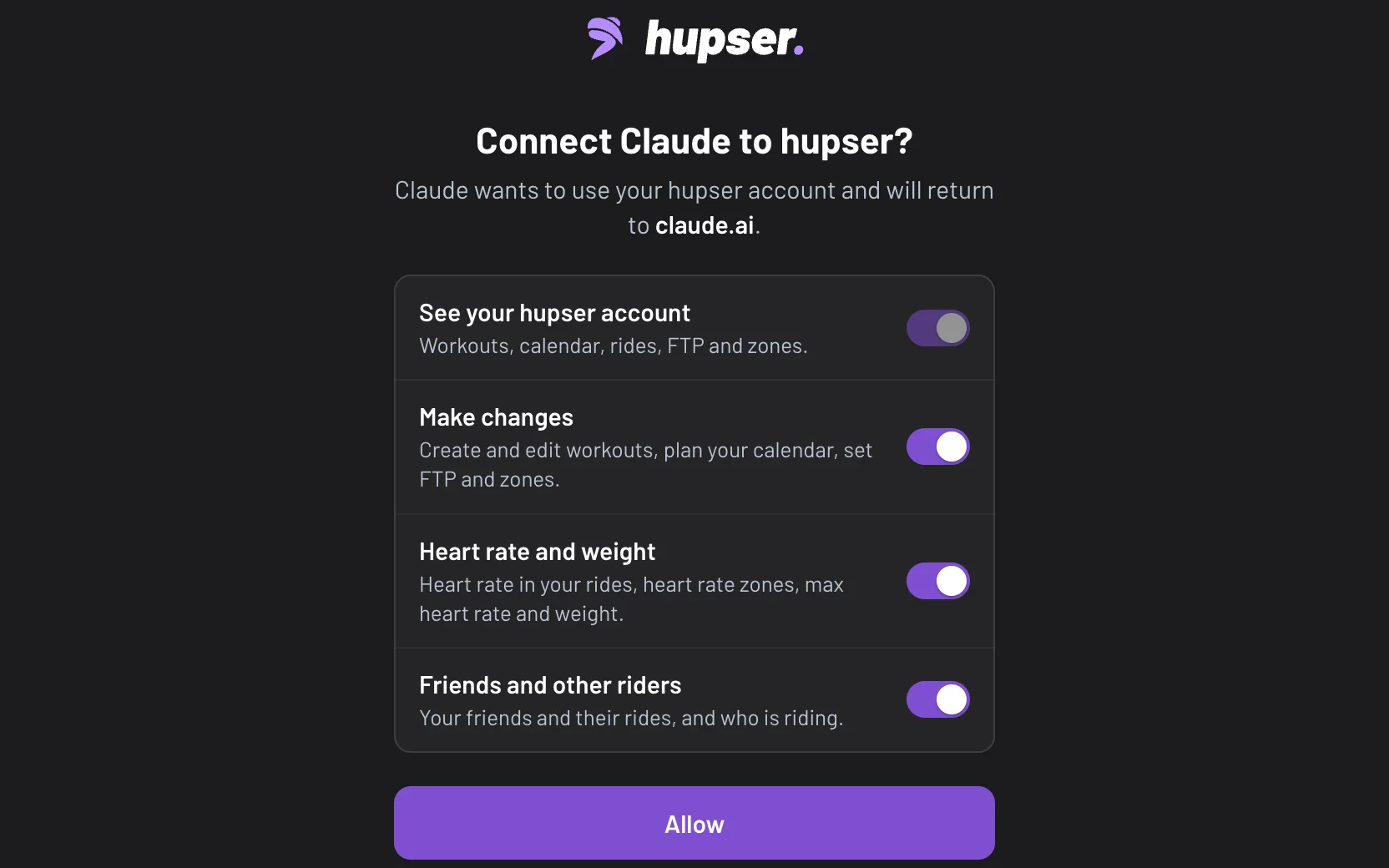
Once it's connected, hupser works in Claude's iPhone, iPad and Android apps too. Planning your week from the sofa: allowed.
Connect ChatGPT
hupser isn't in ChatGPT's directory yet. Where your ChatGPT plan lets you add custom MCP servers, add it yourself:
- On chatgpt.com, open Plugins.
- Choose Add → Add custom MCP server and enter https://api.hupser.app/mcp, with OAuth.
- Select Connect, sign in to hupser, choose what to allow, and select Allow.
- In a chat, type @hupser and ask.
You choose what it can see and do
When you connect, hupser asks what the assistant may use, and you flip the switches:
- See your hupser account: workouts, calendar, rides, FTP and zones. Always on.
- Make changes: create and edit workouts, plan your calendar, set FTP and zones. Leave it off and the assistant can look but not touch.
- Heart rate and weight: heart rate in your rides, heart rate zones, max heart rate and weight.
- Friends and other riders: your friends and their rides, and who is riding.
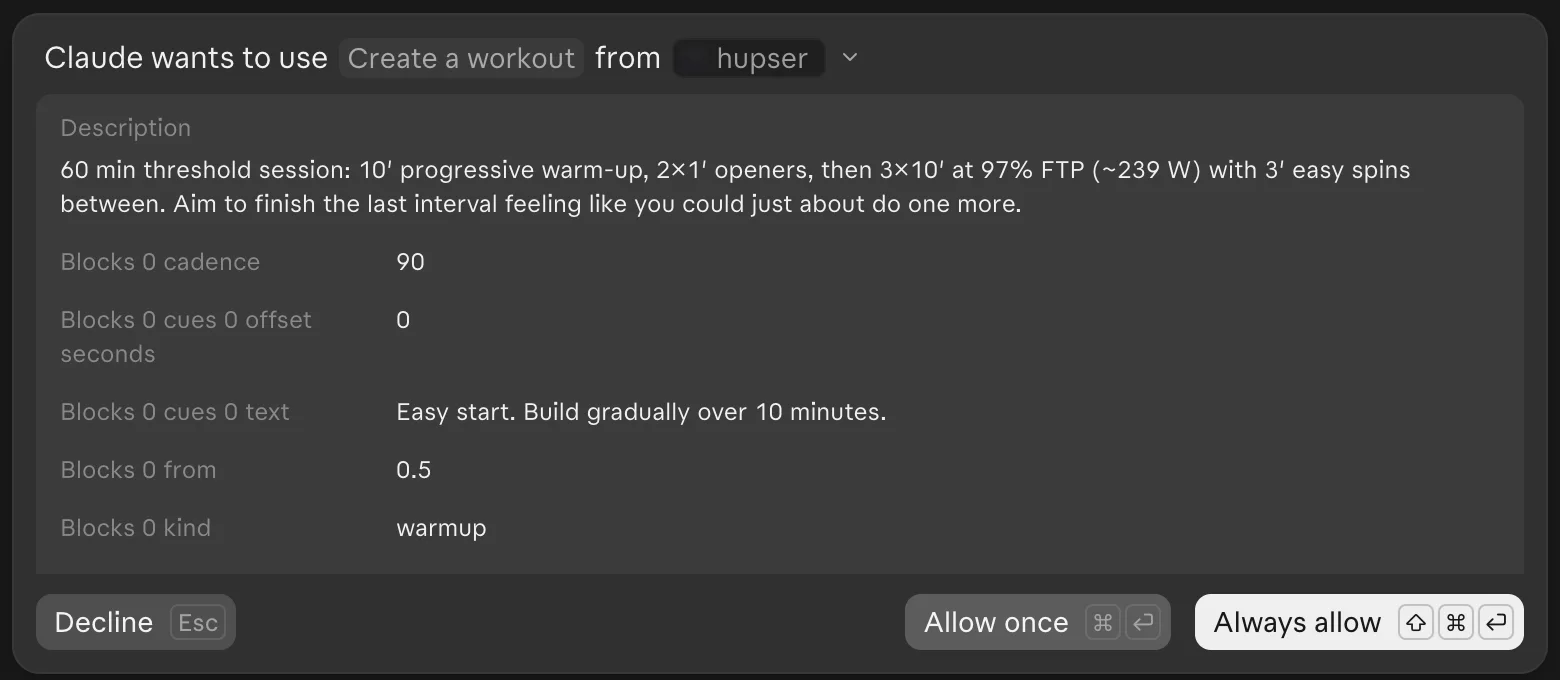
Claude can also ask before each action. With its tool approvals on, it shows you the workout it's about to save, and you choose Allow once or Decline.
What it can't do
hupser keeps the connection to your training, and some things stay out of it:
- It only sees rides recorded in hupser, not rides from Strava, Apple Health or other services. If you also ride outdoors, tell it, because your real load is higher than hupser knows.
- It never gets your location or route, email address, date of birth, sex or height.
- It can't send rides to Strava or Intervals.icu, and it can't reach events or clubs yet.
- hupser's calendar takes a day, not a time. "Tomorrow evening" becomes tomorrow.
hupser has no AI of its own. The assistant is yours, on your own Claude or ChatGPT plan and under its terms.
If it doesn't work
- It says a permission is missing, for example that it can't save a workout: you connected without Make changes. Disconnect, connect again and allow it.
- A workout doesn't show up: open hupser and give it a moment to sync, and check you're signed in with the same account.
- A ride is missing: only rides recorded in hupser are there.
To disconnect, sign in at hupser.app/account, open Settings → Account and choose Disconnect next to the assistant under AI assistants. Its access ends right away. You can also disconnect it in Claude's or ChatGPT's own settings. Still stuck? Email support@hupser.app and say which assistant you use.
Questions
Can ChatGPT or Claude make me a cycling training plan?
Yes. Connect Claude or ChatGPT to hupser and ask it to plan your week: it builds the workouts at your FTP and puts them on your hupser calendar, ready to ride on your smart trainer.
Is there an AI cycling coach that works with my smart trainer?
hupser has no coach of its own, but you can connect Claude or ChatGPT to your hupser account. The assistant builds and schedules workouts, and you ride them in hupser on your smart trainer in ERG.
How do I connect Claude to hupser?
On claude.ai, open Customize → Connectors, find hupser (or add https://api.hupser.app/mcp as a custom connector), sign in to hupser and choose what to allow.
Can the assistant see my Strava rides or where I ride?
No. It only sees rides recorded in hupser, and never your location or route, email address, date of birth, sex or height.
How do I disconnect it?
Sign in at hupser.app/account, open Settings → Account and choose Disconnect next to the assistant under AI assistants. You can also disconnect it in the assistant's own settings.