

Zwift vs MyWhoosh vs ROUVY vs hupser
Ta članek je na voljo samo v angleščini.
Zwift, MyWhoosh, ROUVY and hupser compared, November 2026: hupser is free, rides your own workouts and GPX routes, overlays any app and plans with Claude.

Zwift, MyWhoosh, ROUVY and hupser all turn a smart trainer into structured workouts and virtual riding, and the right one depends on how you ride. Choose hupser if you want a free app that rides your own workout files and GPX routes, keep your workout on top of a film or anything else on screen, and plan your training with Claude. We make hupser, so take this with that in mind: below are the facts as of November 2026, what hupser does well, and what it doesn't do yet.
Zwift, MyWhoosh, ROUVY and hupser at a glance
hupser, Zwift, MyWhoosh and ROUVY all control your smart trainer in ERG and run structured workouts. The differences are where you ride, what you ride on and what comes with it.
| hupser | Zwift | MyWhoosh | ROUVY | |
|---|---|---|---|---|
| What you ride | Real places in 3D, your GPX routes | Virtual worlds, video with Plus | Virtual worlds | Filmed real roads |
| Windows and Mac | Yes | Yes | Yes | Yes |
| iPhone and iPad | Yes | Yes | Yes | Yes |
| Android | Coming soon | Yes | Yes | Yes |
| Apple TV | No | Yes | Yes | Yes |
| Group rides and races | Coming soon | Yes | Yes | Yes |
| Price | Free | €19.99 a month | Free | €19.99 a month |
Prices as of November 2026. Zwift Plus, with Zwift Coach and filmed routes, is €29.99 a month. ROUVY has a free tier of 20 km a month.
Which indoor cycling app should you choose?
The best indoor cycling app is the one that fits how you ride:
- Choose Zwift for racing and events in game-like virtual worlds.
- Choose MyWhoosh for free virtual worlds, races and events.
- Choose ROUVY for filmed video of real roads.
- Choose hupser for free, focused training: your own workout files and GPX routes, an overlay to ride while watching anything, 3D courses built from real places, and Claude to plan with.
What hupser does well
One account on your iPhone, iPad, Mac and Windows PC
hupser keeps your workouts, calendar, FTP, zones and rides in your hupser account, so every device you sign in on shows the same. Each device keeps a copy for riding offline. The Mac download is about 50 MB, and a ride starts when you start pedalling.
Ride while you watch something else
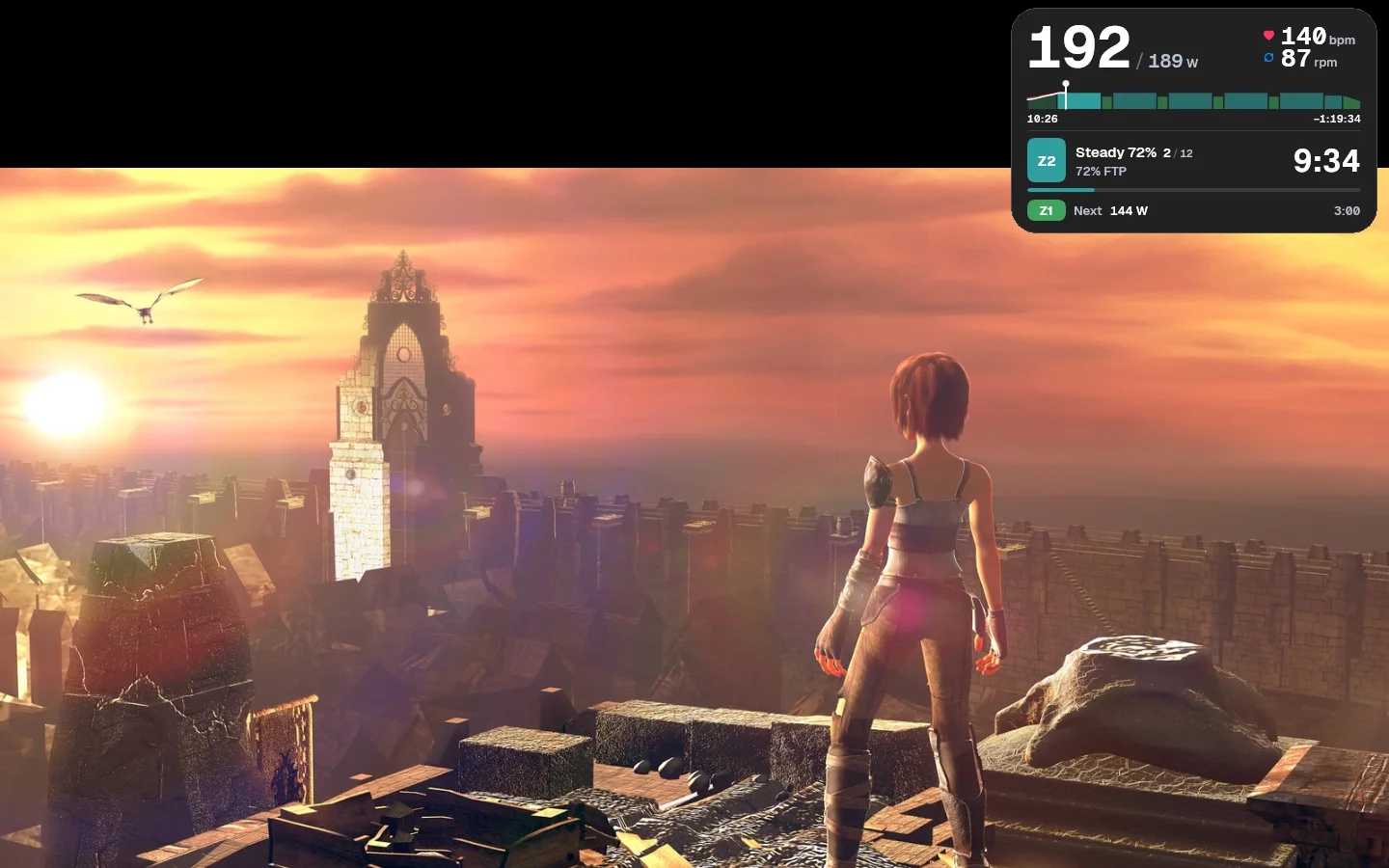
On Mac and Windows, hupser keeps your power, heart rate, cadence and workout in a small overlay on top of any app. You can watch a film, a race or a lecture while ERG holds your watts. Here's how it works.
Real places in 3D, and your own roads
hupser's 3D courses are built from the real place: the Criterium in Komenda and the Možjanca climb near Kranj have their real ground, buildings, fields and trees. On Mac and Windows you can also upload any GPX route and ride it on a map that turns with you, with every hill on your trainer. Hills settings set how steep climbs and descents feel and cap the steepest grade.
Plan with Claude or ChatGPT
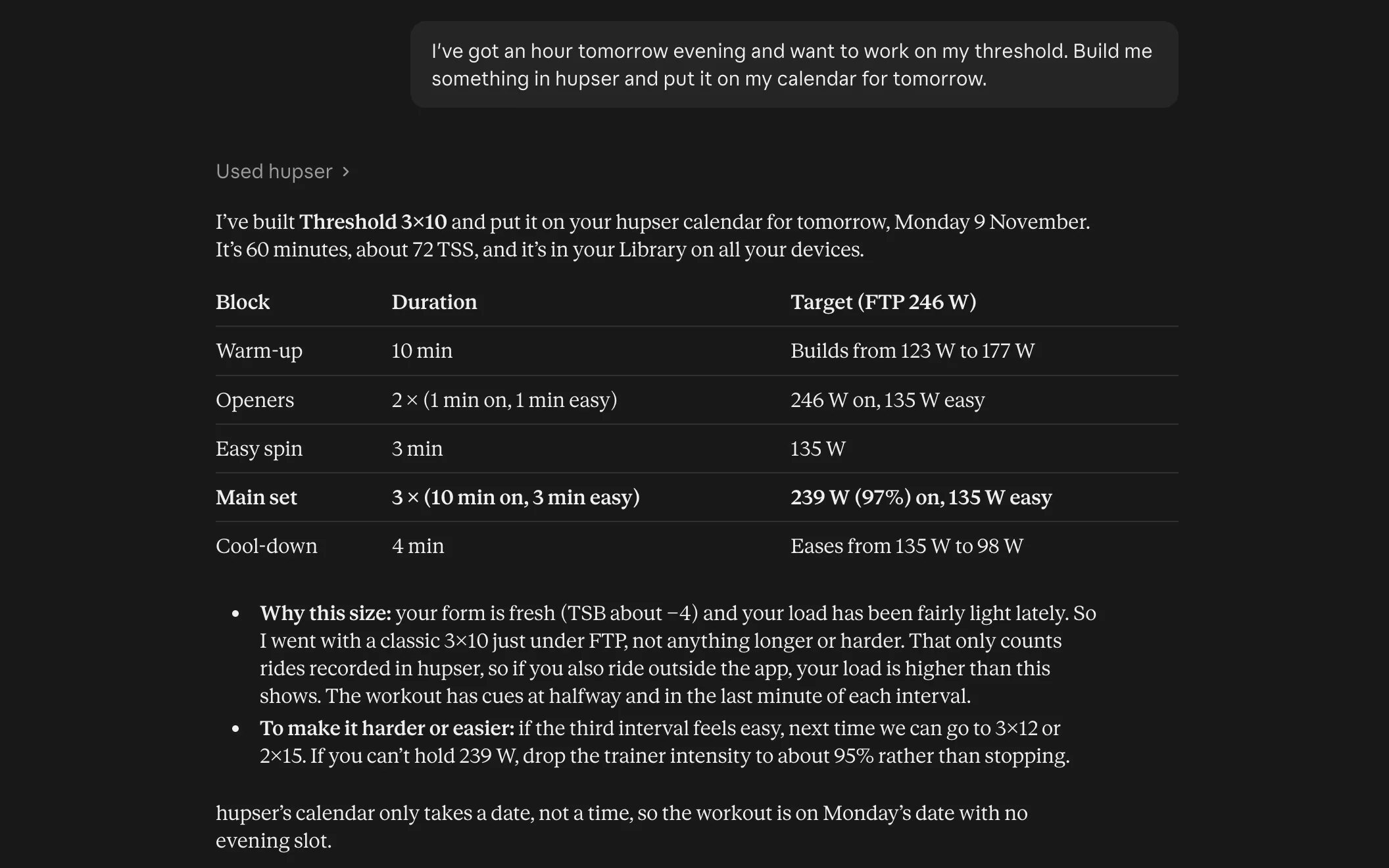
hupser connects to the AI assistant you already use. hupser is in Claude's connector directory, and ChatGPT can add it as a custom MCP server where your plan allows. Ask in plain words to build a workout, plan your week or look at your rides, and the workouts land in your hupser library and calendar. How to connect it.
Bring your workouts and your plan
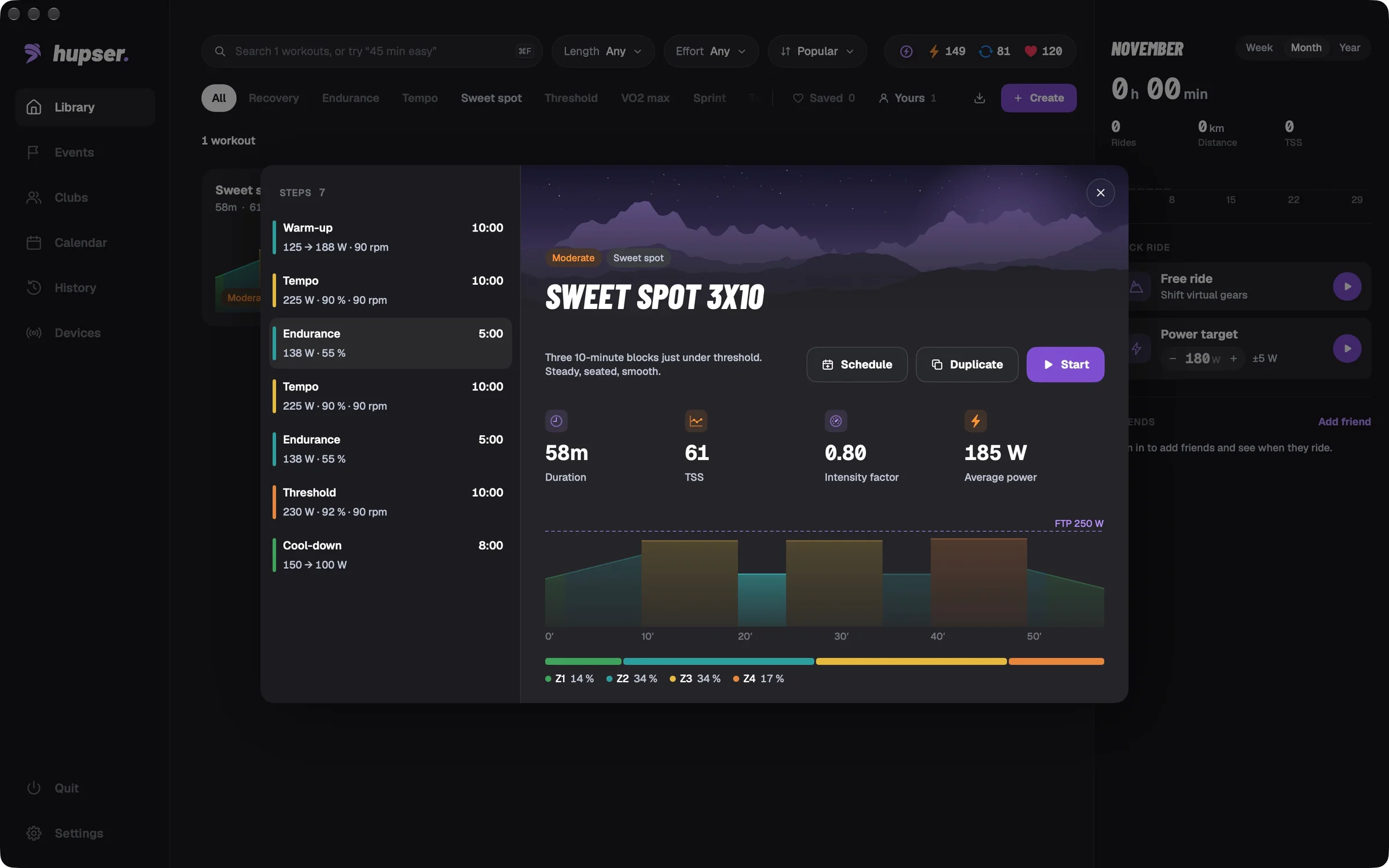
hupser opens .zwo, .erg, .mrc and .fit workout files on iPhone, iPad, Mac and Windows: open the file and it's in your library. Planned workouts from Intervals.icu show up in hupser. Finished rides go to Intervals.icu, to Apple Health on iPhone and iPad, and to Strava. While Strava limits how many riders can connect to hupser, you may need to upload a ride to Strava by hand.
Use your Zwift controller
hupser shifts virtual gears with a Zwift Ride, Zwift Play or Zwift Click v2, or any controller connected through BikeControl: pair it under Devices → Controller / Shifters. On Mac and Windows the same controller moves around the app, so you need no mouse on the bike. A Click v2 left unit works only while Zwift has recently unlocked it.
See what you rode
On Mac, a finished ride opens as a page of widgets: the ride profile on the planned blocks, time in zone, a power curve, peak power from 5 seconds to an hour, Pw:HR decoupling and every climb you rode.
What hupser doesn't do yet
hupser is new, and some things other apps have aren't there yet:
- No Android app yet (coming soon) and no Apple TV app.
- No group rides, races, events or clubs yet. You can see friends who are riding and ride on the same course as others.
- Two 3D courses for now, plus your own GPX routes on Mac and Windows. Your own routes aren't on iPhone and iPad yet.
- No TrainingPeaks connection, and rides don't upload to Garmin Connect.
Zwift, MyWhoosh and ROUVY in short
- Zwift is a subscription app with virtual worlds such as Watopia, racing and events. Since October 2026, Zwift Plus adds Zwift Coach and filmed routes.
- MyWhoosh is free, with virtual worlds, races and events.
- ROUVY is a subscription app, with a free tier of 20 km a month, built around filmed real-world routes, with other riders shown on the road. Subscribers can also import GPX routes. Zwift has owned it since April 2026, and it runs separately.
Questions
Which is better, Zwift, MyWhoosh, ROUVY or hupser?
It depends on how you ride. Zwift and MyWhoosh suit riders who want virtual worlds, races and events, and ROUVY suits riders who want filmed real roads. hupser suits riders who want their own workouts and routes, an overlay to ride while watching something else, and Claude to plan with.
Is hupser a good Zwift alternative?
Yes, for training. hupser runs on Mac, Windows, iPhone and iPad with one account, rides your workouts in ERG, opens .zwo files and rides your own GPX routes on Mac and Windows. It has no races or group events yet.
Can I use my Zwift Ride, Play or Click with hupser?
Yes. hupser shifts virtual gears with a Zwift Ride, Zwift Play or Zwift Click v2 (pair it under Devices → Controller / Shifters), and on Mac and Windows it also moves around the app. A Click v2 left unit only works while Zwift has recently unlocked it.
Can I bring my Zwift workouts to hupser?
Yes, if you have them as .zwo files. Open a .zwo file with hupser on iPhone, iPad, Mac or Windows and it's in your library, keeping its text cues. hupser opens .erg, .mrc and .fit workouts too.
Is hupser free?
Yes. hupser is free to download and ride on iPhone, iPad, Mac and Windows, with structured workouts, the 3D courses, your own GPX routes and the overlay.
Which indoor cycling apps are free?
MyWhoosh and hupser are free. ROUVY has a free tier of 20 km a month, and Zwift is a subscription of €19.99 a month (as of November 2026).
Does hupser work on Android or Apple TV?
Not yet. hupser runs on iPhone, iPad, Mac and Windows; an Android app is coming soon, and there is no Apple TV app.
Does hupser have races and group rides?
Not yet. Group rides, workouts together, races and clubs are coming soon. For now you can see which friends are riding and ride on the same course as other riders.